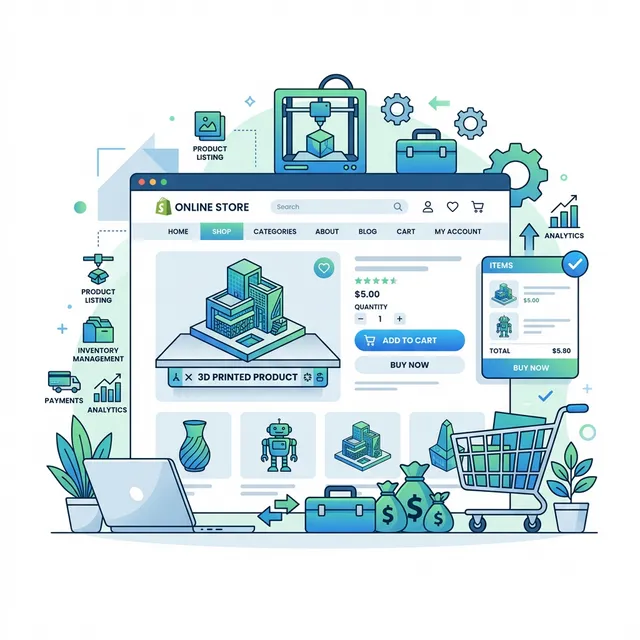
Selling 3D Prints on Shopify: The Complete Playbook
Shopify is the most popular e-commerce platform in the world, and it's an ideal home for custom 3D printing businesses. Whether you're selling custom figurines, functional parts, or manufacturing services, this guide will walk you through everything from store setup to your first automated quote.
1. Why Shopify for 3D Printing?
- Built-in payments: Accept credit cards, Apple Pay, and Shop Pay with zero setup
- App ecosystem: Thousands of apps for shipping, marketing, and automation
- Theme flexibility: Professional storefronts without writing code
- Mobile-first: Over 70% of e-commerce traffic is mobile
- Scalability: From $29/month starter to enterprise — same platform
- SEO built-in: Auto-generated sitemaps, customizable meta tags, clean URL structure
- Global reach: Multi-currency support, international shipping, and 50+ languages
2. Setting Up Your Store
Choose the Right Plan
For most 3D printing businesses, the Basic Shopify plan ($39/month) is sufficient. It includes online store, blog, discount codes, and abandoned cart recovery. Upgrade when you need staff accounts or better shipping rates.
Select a Theme
Use a clean, product-focused theme. Recommended free themes: Dawn, Craft, or Refresh. They all support app embeds, which is critical for MakeQuote integration.
Create Your Product Pages
For custom 3D printing, you typically need a single "Custom 3D Print" product page where customers upload their STL files. Add clear descriptions of your capabilities, turnaround times, and material options. Include high-quality photos of your best prints — first impressions matter.
Essential Pages
Beyond products, create these supporting pages for credibility:
- About: Your story, equipment list, photo of your setup
- FAQ: File formats, turnaround times, shipping, design guidelines
- Materials Guide: Detailed descriptions of each material with photos and use cases
- Design Tips: How to prepare files for 3D printing (wall thickness, overhangs, supports)
3. Integrating Automated Quoting
The traditional approach — receive email, open in slicer, calculate manually, reply with quote — doesn't scale. By the time you respond, customers have often gone to a competitor.
⏱️ The quoting bottleneck: The average 3D printing service takes 4–24 hours to respond to quote requests. With MakeQuote, customers get an instant price in under 3 seconds.
How MakeQuote Works on Shopify
- Install the app from the Shopify App Store
- Configure pricing — set rates per gram, per cm³, or per hour
- Add materials — PLA, ABS, PETG with colors and densities
- Enable the widget — add the MakeQuote block to any product page
- Go live — customers upload files and get instant quotes
The entire setup takes about 10 minutes. Your pricing is configured in the admin panel, not in code — so you can adjust rates, add materials, and test different pricing strategies without touching your theme.
4. Optimizing for Conversions
Speed Matters
Amazon found that every 100ms of load time costs them 1% of sales. Your quote widget should respond instantly — no loading spinners, no "we'll email you."
Show the 3D Preview
Customers want to see their part before buying. MakeQuote includes an interactive Three.js viewer that lets them rotate, zoom, and inspect their model. This builds confidence and reduces returns.
Offer Material Choices
Don't just show a price — show options. PLA in 12 colors. PETG for strength. ABS for heat resistance. Each with visual swatches and prices. More choices = higher average order value. Just be careful not to overwhelm — 3–5 most popular materials on the widget, with a "More options" section for specialty filaments.
Trust Signals
Add trust elements near the checkout button to reduce cart abandonment:
- Clear turnaround time ("Ships in 3–5 business days")
- Satisfaction guarantee or remake policy
- Customer reviews or photos of completed prints
- Secure checkout badges (Shopify provides these automatically)
5. Marketing Your Print Service
SEO Strategy
Organic search is the most cost-effective customer acquisition channel for 3D printing services. Target these keyword categories:
- Service keywords: "3D printing service near me", "custom 3D print online", "STL to part"
- Material keywords: "PETG 3D printing service", "nylon SLS printing"
- Use case keywords: "3D printed prototype service", "custom figurine printing"
- Local keywords: "3D printing service [your city]", "same day 3D printing [area]"
Content Marketing
Use Shopify's built-in blog to publish content that attracts potential customers:
- Material comparison guides (PLA vs PETG vs ABS)
- Design tips for 3D printing (wall thickness, overhangs)
- Case studies of projects you've completed
- Print time-lapse videos on social media linking back to your store
Social Media & Community
- Instagram / TikTok: Show your prints, time-lapses, before/after of post-processing
- Reddit: Be helpful on r/3Dprinting, r/functionalprint
- Facebook: Join local maker groups and offer your services
- Local partnerships: Makerspaces, engineering firms, architecture studios
6. Handling Returns & Quality Issues
Custom 3D prints are inherently non-returnable since they're made to order. However, you need a clear policy for defective prints:
- Quality guarantee: Offer free reprints for prints with visible defects (layer shifts, stringing, warping)
- Photo evidence: Require customers to submit photos of defects before approving a reprint
- Design review: For complex parts, offer an optional $5 design review to catch issues before printing
- Clear expectations: Document surface finish quality, dimensional tolerances (±0.3mm for FDM), and layer line visibility in your FAQ
7. Fulfillment Workflow
- Customer uploads STL → gets instant quote → adds to cart → checks out
- You receive order notification with file download link
- Download STL, slice in your preferred slicer (Bambu Studio, PrusaSlicer, Cura)
- Print, post-process, quality check
- Package with care (bubble wrap for fragile parts, ziplock bags for small items)
- Ship and update order status — customer gets tracking automatically
8. Scaling from Hobby to Business
Once you're consistently getting orders, here's how to scale:
- Add printers: Start with 2–3 identical printers for reliability
- Batch similar orders: Print same-material jobs together to minimize changeovers
- Automate post-processing: Invest in a tumbler for support removal
- Track your numbers: Cost per print, failure rate, average order value
- Consider WordPress too: MakeQuote also works on WordPress/WooCommerce
Related Articles
- How to Price 3D Printing Services in 2026 — cost-based pricing formulas and strategies
- DXF & SVG Quoting: Automate Your Laser Cutting Business — pricing models for laser cutting services
- Running a 3D Print Farm: 12 Lessons From the Trenches — fleet management for growing operations
- Why MakeQuote Pro at $19/Month Is the Best Investment — ROI breakdown for 5–25 printer operations
Launch your Shopify print shop
MakeQuote is currently under final review by the Shopify team. Join the waitlist to be first in line.
Join the Waitlist →