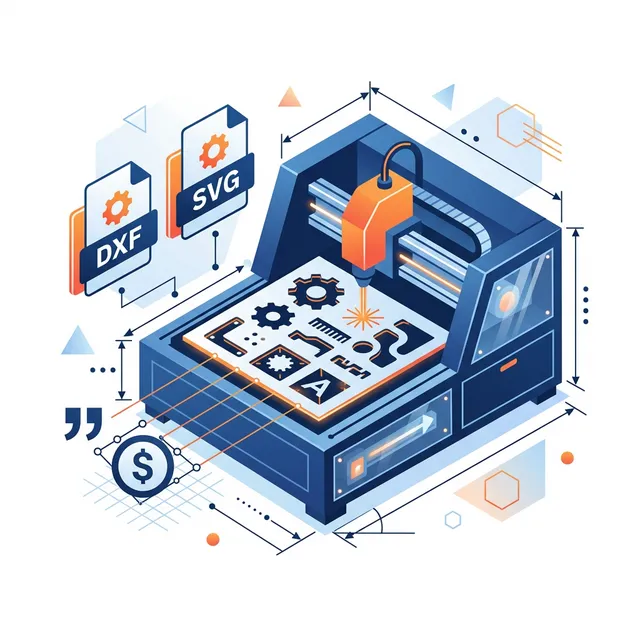
DXF & SVG Quoting: Automate Your Laser Cutting Business
Laser cutting services face a unique quoting challenge: pricing depends on cut path length, material consumed, number of pierce points, and cutting speed. Manually measuring DXF files in CAD software doesn't scale — a simple part with 20 contours can take 15 minutes to quote by hand. Here's how to automate it and respond to customers in seconds instead of hours.
1. Understanding the Geometry
When a customer uploads a DXF or SVG file, MakeQuote analyzes the geometry and extracts key metrics:
- Cut path length: Total length of all cutting paths in millimeters
- Pierce count: Number of individual pierce/plunge operations (one per closed contour)
- Bounding box: Overall dimensions (width × height) for material estimation
- Engrave area: Surface area of any filled/hatched regions
- Total travel: Distance the head moves between cuts (non-cutting movement)
2. Pricing Models for Laser Cutting
Cut Path Length
The most common model. Price per millimeter of cutting path. Typical rates:
- Acrylic (3mm): $0.015–0.03/mm
- Plywood (3mm): $0.01–0.02/mm
- Steel (1mm): $0.03–0.08/mm
- Aluminum (2mm): $0.05–0.12/mm
Pierce Point Pricing
Each pierce wears the nozzle and takes time. Add a per-pierce charge:
- Simple materials: $0.10–0.50/pierce
- Metals: $0.50–2.00/pierce
Material (Sheet Area)
Charge for the material consumed based on the bounding box area. Price per square foot, square inch, or square millimeter.
Time-Based
Calculate cutting time from path length and cut speed, then charge per minute. Add pierce time and travel time for accuracy.
Cutting time = Cut path ÷ Cut speed
Pierce time  = Pierce count × Pierce duration
Travel time  = Travel distance ÷ Travel speed
─────────────────────────────────────────────
Total time   = Cutting + Pierce + Travel
3. Combining Price Components
Real-world laser cutting pricing almost always combines multiple factors:
Example: 500mm cut path, 8 pierces, 200×150mm part

Cut path:   500mm × $0.02/mm    = $10.00
Piercing:   8 × $0.50           = $4.00
Material:   0.21 sq ft × $3/ft² = $0.63
Startup:                        + $2.00
──────────────────────────────────────────
Total:                           ≈ $16.63
💡 Pro tip: MakeQuote supports up to 3 stacked price components. Set Price as "per total_path (mm)", Price 1 as "per pierce_count", and use Material pricing for sheet area.
4. Material-Specific Settings
Different materials cut at different speeds and require different laser parameters. Configure each material separately:
- Cut speed: How fast the laser moves during cutting (mm/s)
- Travel speed: Head movement between cuts (typically 2–5x cut speed)
- Pierce time: How long the laser dwells at each pierce point (seconds)
- Kerf width: Width of material removed by the laser beam
5. Common File Formats
DXF (Drawing Exchange Format)
The industry standard for laser cutting. Contains vectors as lines, arcs, circles, and polylines. MakeQuote parses all DXF entities including splines and ellipses.
SVG (Scalable Vector Graphics)
Web-native vector format. Popular with designers using Adobe Illustrator or Inkscape. MakeQuote handles SVG paths, shapes, and transforms. SVG is increasingly popular because customers can create designs in free tools like Canva or Figma and export directly.
AI/EPS (Adobe Illustrator)
Professional vector formats from the Adobe ecosystem. While MakeQuote primarily supports DXF and SVG, most design software can export to these formats. Advise customers to "Save As" SVG when submitting files.
6. Engraving vs. Cutting Pricing
Many laser cutting jobs include both cutting (through the material) and engraving (marking the surface). These should be priced differently:
- Cutting: Priced per mm of cut path — uses full laser power, slower speed
- Line engraving: Priced per mm of engrave path — faster speed, lower power
- Area engraving: Priced per cm² of engrave area — raster scanning, time-intensive
Area engraving is often the most expensive operation per unit area because the laser must scan back and forth across the entire region. A typical rate for area engraving on acrylic is $0.10–$0.25/cm², compared to $0.02/mm for cut paths.
7. Nesting and Material Optimization
Smart shops charge based on the bounding box area rather than the full sheet, but account for nesting efficiency:
- Single part: Bounding box + 5mm margin on each side
- Multiple quantities: Nested layout can save 20–40% of material vs. individual bounding boxes
- Odd shapes: Consider charging for rectangular bounding box since the remaining material is often unusable
MakeQuote handles material area calculation automatically using the bounding box dimensions from the uploaded file, ensuring consistent pricing without manual measurement.
8. Common Laser Quoting Mistakes
These are the pricing errors we see most often from laser cutting shops:
- Ignoring pierce count: A design with 200 small holes has 200 pierce operations — each wearing the nozzle and adding time. Without per-pierce pricing, complex parts are drastically underpriced.
- Flat rate per sheet: Charging the same price for a simple square cutout and a detail-heavy design with 50 contours is a guaranteed way to lose money on complex work.
- No minimum order: Small parts still require setup, material handling, and quality inspection. Set a $5–15 minimum order value.
- Not separating cut from engrave: Engraving operations are fundamentally different from cutting and should have separate pricing.
- Manual measurement: Using CAD software to measure each DXF file means 10–30 minutes per quote — most of which never convert to orders.
9. Why Automate with MakeQuote
Manual quoting is the biggest bottleneck for laser cutting businesses. Here's what automation gives you:
- Instant analysis: DXF/SVG parsed client-side in under 2 seconds
- Consistent pricing: Same formula, every time, no human error
- 24/7 availability: Customers get quotes at 2 AM on a Sunday
- Higher conversion: Instant quotes convert 3–5x better than "we'll email you" forms
- Stacked pricing: Combine cut path + pierce + material + startup fee automatically
- Works on Shopify and WordPress: Integrate directly into your online store
Related Articles
- How to Price 3D Printing Services in 2026 — cost-based pricing formulas for FDM, SLA, and SLS
- Selling 3D Prints on Shopify: The Complete Playbook — set up your Shopify store with automated quoting
- Why MakeQuote Pro at $19/Month Is the Best Investment — ROI breakdown for print and laser businesses
- Bambu Studio Settings for Maximum Print Quality — optimize your printer settings
Automate your laser cutting quotes
Stop measuring DXF files manually. Let MakeQuote analyze cut paths and generate instant prices.
Join the Waitlist →